Java Source
Concept
Working in the context of integration requires an approach that provides flexibility to interface developers. Since not all required features can be foreseen in a product, it is important to have extension points that allow users to extend the system with user-defined functions and programs. When working with Java sources, the basic idea is to provide flexibility to developers based on the Java programming language. Within Orchestra, there are several well-defined hooks that can be used specifically for this purpose. The following hook points are currently available:
-
User defined output filters
-
User defined input filters
-
Mapping functions
-
General Java functions that can be used wherever Java is used in the scenario
User defined filters are used whenever additional steps are required during serializing or de-serializing of a message. Mapping functions can be used to add additional functions to a graphical mapping.
Creation
To create a Java Source, click on the plus icon located on the bottom-left of the screen and select Miscellaneous. Next, select Java Source.
The dialog to configure the Java Source looks like this:
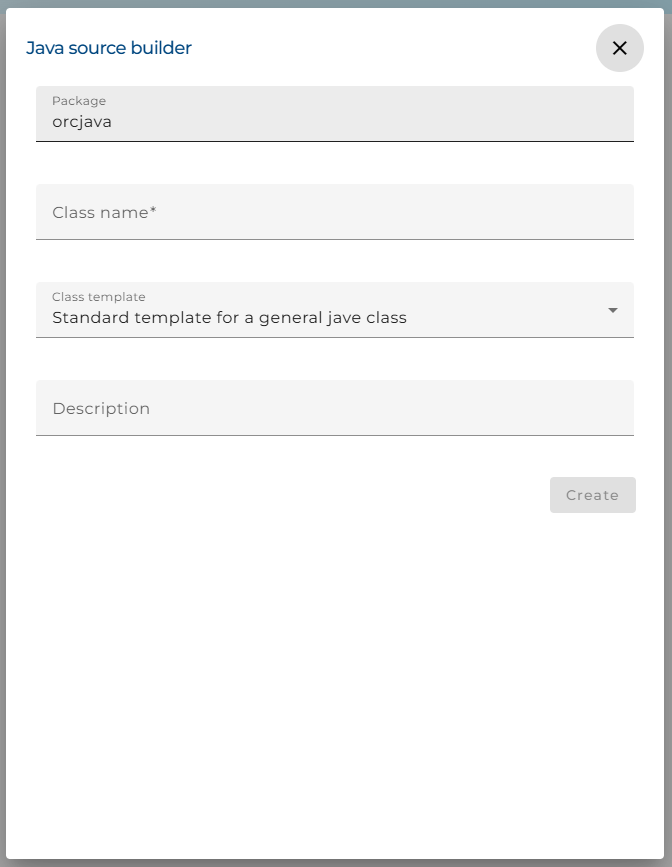
Package: The package name of the created java class.
Class name: The name of the created java class.
Class Template: Defines the type of class that should be generated.
General class: A general class without any additional methods.
Output filter: Orchestra creates a class with additional methods that can be used as an output filter. A developer has to only refine the created methods.
Input filter: Orchestra creates a class with additional methods that can be used as an input filter. A developer has to only refine the created methods.
Callback function for message type name: A special function that can be used in some channels to create the message type name before a message is parsed or written.
Class description: A general comment about the intention of the class.
compile java file: use to compile java code.
Usage
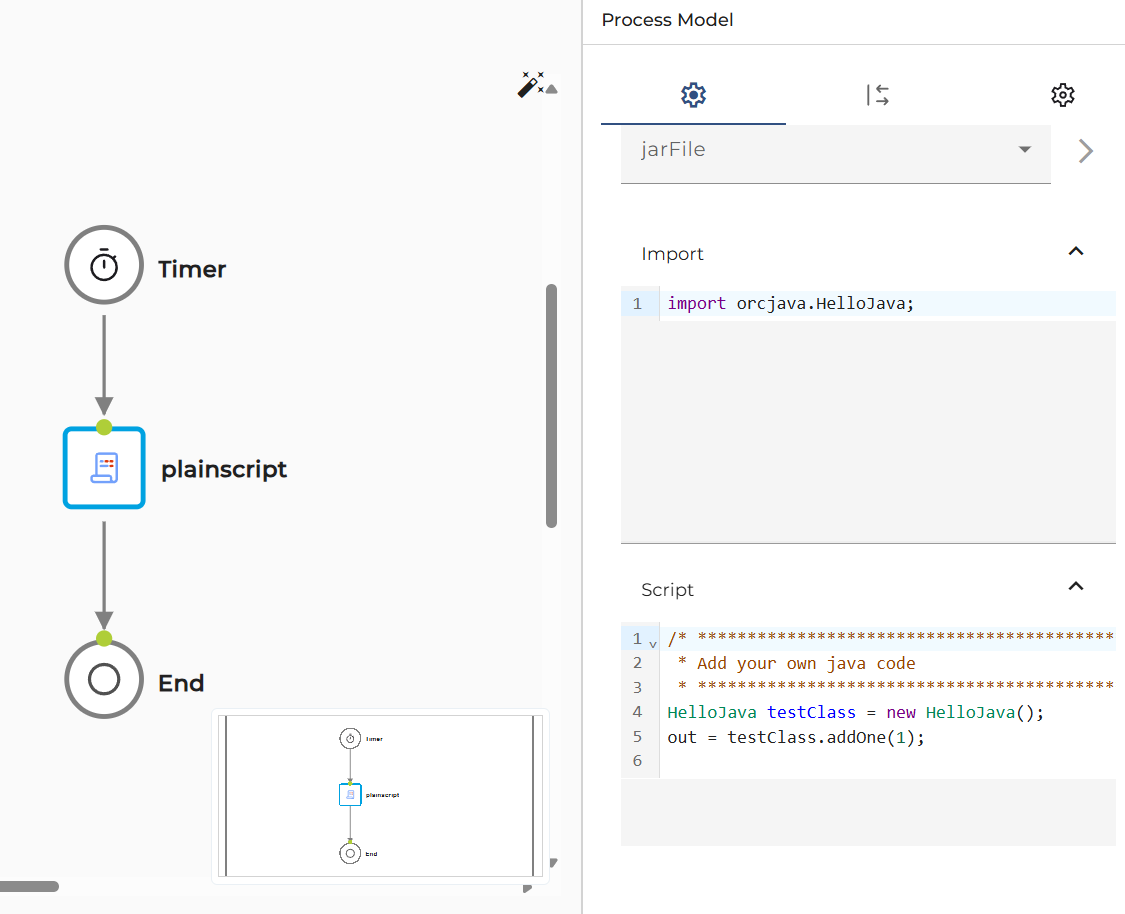
The java source can be use in import and script panel (plain script etc.).
To import class in Java Source: import package.class;
Environment Setup
The system environment variables or parameters in jdk group have to be set before using the java source.
The parameters include:
-
JAVA_HOME* : Path to the root directory of the jdk.
-
ORC_JAVA_CLASSPATH* : An additional classpath that should be used for compilation, e.g., the path to the base library in the orchestra java package, including directories such as ...\orchestra\WEB-INF\lib , Web-Designer\base\lib, etc.
-
ORC_JAVA_VERSION* : Java version number. Ex. 21
-
ORC_JAVA_OPTIONS : Additional java options.
(Parameters in bold are required.)
environment_settings.xml
<group name = "jdk" >
  <parameter name = "home" value = "{system.JAVA_HOME}" />
  <parameter name = "classpath" value = "{system.ORC_JAVA_CLASSPATH}" />
  <parameter name = "version" value = "{system.ORC_JAVA_VERSION}" />
  <parameter name = "options" value = "{system.ORC_JAVA_OPTIONS}" />
</group>